
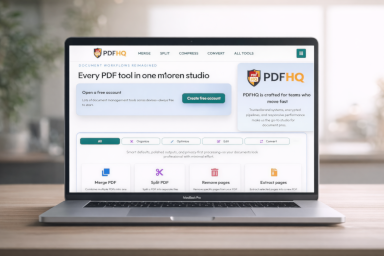
Portable Document Format is a fixed-layout document standard designed to preserve appearance across software, operating systems, and devices.
What it is
Portable Document Format is a fixed-layout document standard designed to preserve appearance across software, operating systems, and devices. For PDFHQ, PDF matters because users regularly need reliable movement between this format and PDF while preserving structure, layout intent, and downstream usability.
Creator, Company, and Timeline
- First release / standardization period: 1993 (Adobe); ISO standardization in 2008 and later revisions
- Created by: Adobe Systems (John Warnock initiative)
- Primary originating organization/company: Adobe Systems
- Standards reference: ISO 32000
Became the default final-form exchange format for business, legal, and government documentation. This context matters operationally: conversion outcomes are often influenced by the era and ecosystem assumptions built into the source format and tools.
Common Software and Ecosystem Support
PDF is used across productivity applications, rendering engines, and automation pipelines. In production workflows, conversion quality depends on choosing toolchains that preserve encoding, fonts, metadata, and pagination semantics required by the document purpose.
- Adobe Acrobat
- Foxit PDF Editor
- PDF.js-based viewers
- Ghostscript
- LibreOffice export
- PDFHQ tools
- Adobe Acrobat Reader
- Chrome/Edge built-in PDF viewers
Technical Characteristics
- Fixed-layout page model with deterministic rendering goals across devices.
- Can contain fonts, vector graphics, raster images, metadata, forms, and signatures.
- Profile-specific constraints can enforce archival, print, accessibility, or transactional requirements.
- Validation quality depends on both syntax and conformance rules, not just visual output.
When converting PDF to or from PDF, these technical properties directly affect fidelity, extractability, accessibility posture, and file size behavior. Robust pipelines typically add validation and QA checks instead of relying on visual inspection alone.
Typical Use Cases
- Final-form delivery for legal, finance, and operations documents
- Archival and compliance-oriented record retention
- Print and publishing handoff workflows
- Cross-system document exchange where layout stability is required
These use cases map to real PDFHQ adoption patterns: source systems keep their native formats for editing, while PDF is used for controlled review, distribution, signing, or archiving.
Strengths
- Strong interoperability for final delivery.
- Mature standards ecosystem and tooling coverage.
- Suitable for secure sharing, signatures, and governance controls.
These strengths explain why the format continues to appear in enterprise and consumer document pipelines, even when PDF is the final handoff format.
Limitations and Conversion Risks
- Source-level editing is often harder than editing authoring-native formats.
- Conformance remediation can be technical for malformed legacy files.
- Large mixed-media files can still require optimization before distribution.
For PDFHQ users, these risks are the main reasons to apply normalization, preflight checks, and post-conversion QA before delivering final files.
Relation to PDF and PDFHQ Workflows
In PDFHQ, PDF appears in explicit conversion paths and related processing tools. These routes are where users move between editable/source representations and fixed PDF deliverables while preserving business meaning and reviewability. PDFHQ links every format back to PDF workflows so users can move cleanly between source formats and final PDF outputs.
-
/compress-pdf
-
/merge-pdf
-
/split-pdf
-
/add-page-numbers-to-pdf
-
/bank-statement-to-excel
-
/excel-to-pdf
-
/extract-pages
-
/html-to-pdf
-
/image-to-pdf
-
/pdf-to-excel
Authoritative References
Related Tools
Combine multiple PDF files into a single document.
Convert PDF files to PDF/A online for editing, extraction, publishing, or reuse.
Reduce file size without sacrificing readability.
Convert images such as JPG and PNG into PDF files.
Convert PowerPoint files into PDF format.
Convert HTML files to PDF for sharing, printing, archiving, and document workflows.
Convert Microsoft Word documents into PDF format.
Convert Excel spreadsheets into PDF files.
Convert PDF documents into editable Word files.
Convert PDF tables and data into Excel spreadsheets.
Split one PDF into multiple files by page range.
Convert PDF pages into image files.
Add text or image watermarks to PDF documents.
Related Articles
Convert Excel files to PDF online with PDFHQ. Fast, accurate, and AI-powered — supports batch processing and works on any device.
Add custom text or image watermarks to PDFs online with PDFHQ. Rotate, style, and place watermarks exactly how you want.
Fetch live web pages and save them as PDFs online with PDFHQ. Capture layouts exactly as they appear in the browser.
Convert PDF pages into high-quality JPG or PNG images instantly. PDFHQ’s PDF to Image tool is fast, secure, and works entirely online—no downloads or installations required.
Convert PDFs to PDF/A online with PDFHQ. Ensure long-term archiving, compliance, and document integrity with industry-standard PDF/A formats.
Convert bank statements to Excel online with PDFHQ. Securely extract transaction data for budgeting, analysis, and monthly spending insights.
Merge PDF files online quickly and securely with PDFHQ. Combine multiple PDFs in your browser using AI-powered tools — no downloads, no installation, and no risk to your data.
A clear guide to PDF/A-1, PDF/A-2, and PDF/A-3 standards. Learn when to use each format for long-term archiving and compliance.
Split PDF files online with PDFHQ. Extract pages securely and accurately using AI-powered tools — fast, browser-based, and no downloads required.
Extrahieren Sie bestimmte Seiten aus PDF-Dateien online mit PDFHQ. Behalten Sie nur das, was Sie brauchen — sicher, schnell und direkt im Browser.
Related Knowledge
PDF/A is a constrained PDF profile for long-term preservation and archival reliability.
PDF/X is a print-production subset of PDF focused on reliable prepress interchange.
PDF/UA is an accessibility-focused PDF profile aimed at usable documents for assistive technologies.
PDF/E targets engineering and technical-document workflows that require robust visual and interactive content exchange.
PDF/VT is a variable/transactional print profile optimized for high-volume personalized output.
XPS/OpenXPS is a fixed-layout page format from Microsoft/ECMA ecosystems.
DOCX is the default modern Word format built on OOXML package parts and XML document markup.
XLSX is the standard modern Excel workbook format using OOXML package + worksheet XML parts.
PPTX is the modern OOXML presentation format used for most slide authoring workflows.
TIFF is a flexible high-fidelity raster image format used in scanning and publishing.
WebP is a modern web image format supporting lossy/lossless compression and alpha transparency.
DOC is the legacy binary Word format used in older Microsoft Office workflows and long-lived enterprise archives.
AVIF is an AV1-based image format targeting strong compression efficiency while preserving visual detail.
CSV is a plain-text table interchange format where each row is serialized into delimited fields.
JP2 (JPEG 2000) is a wavelet-based image format offering high-quality compression options.
SVG is an XML-based vector graphics format that scales without raster blurring.
JBIG2 is a bi-level image compression standard optimized for scanned text-like pages.
HEIF is a high-efficiency image container that can store still images, sequences, and related metadata.
ODT is an OpenDocument text format focused on interoperable office authoring.
XLS is the legacy binary Excel workbook format still found in historical finance and reporting systems.
ODS is the OpenDocument spreadsheet format for open, cross-suite data workflows.
ODP is the OpenDocument presentation format for slide decks in open office suites.
RTF is a text-based rich text interchange format that predates modern XML office packaging.
HEIC is the common extension for HEIF images encoded with HEVC, especially in Apple-centric capture workflows.
XML is a structured markup language for machine-readable documents and data.
EPUB is an e-book packaging format designed for reflowable digital publishing.
Markdown is a lightweight plaintext markup syntax that can be rendered into HTML and then exported to PDF.
TXT is plain text without embedded rich formatting semantics.
DjVu is a format designed for efficient storage of scanned documents, often with layered text/image approaches.
JSON is a lightweight structured data interchange format built on key/value and array constructs.
PPT is the legacy binary PowerPoint format used in older presentation systems.
TSV is a plain-text tabular format using tab delimiters, often chosen to reduce comma-escaping issues.
EML represents internet email messages with headers/body and MIME-part content.
FDF is a compact format for exchanging PDF form field data without embedding full page content.
MSG is an Outlook message storage format used in Microsoft mail workflows.
XFDF is the XML-based evolution of FDF for exchanging PDF form and annotation data.
GIF is an indexed-color raster format known for lightweight animations and simple graphics.
BMP is a Windows bitmap raster format with straightforward uncompressed/low-complexity structures.
MOBI is an older e-book format from the Mobipocket family, later integrated into Kindle ecosystems.
AZW is an Amazon Kindle ebook format derived from Mobipocket-era packaging.
AZW3 (KF8) is a newer Kindle format with richer styling/layout capabilities than legacy AZW/MOBI.
CBR is a comic archive convention that stores ordered page images inside a RAR container.
CBZ is a comic archive convention that stores ordered page images inside a ZIP container.
JPEG/JPG is the dominant lossy raster image format for photographs.
PNG is a lossless raster format with strong support for transparency and crisp graphics.
HTML is the standard markup language for web documents and browser rendering.
Cryptographic signature proving integrity and signer authenticity.
Cryptographic protection applied to document content and permissions.
PDF arranged for fast web viewing by prioritizing early-page access.
Optical Character Recognition that turns scan images into machine-readable text.
Techniques used to reduce file size while balancing quality.
Descriptive document data such as title, author, and timestamps.
XLSM is the macro-enabled OOXML workbook format combining spreadsheet data with VBA automation.
DOCM is the macro-enabled OOXML Word format that bundles document content plus VBA automation logic.
PPTM is the macro-enabled OOXML presentation format that combines slides with VBA logic.
PostScript is a page description language historically central to desktop publishing and print workflows.
TeX is a typesetting system and source format used for high-quality technical documents.
PDF index structure mapping object locations.
Document-level restrictions such as printing or copying limits.
Visible text or image overlay applied to pages.
PDF variant combining multiple structural and compatibility characteristics.
Permanent removal of sensitive content from a document.
Small preview image representing a document or page.
PDF where interactive and transparency elements are baked into static content.
CSS rules that control page layout when HTML is rendered for print/PDF.
Machine-readable text content embedded alongside scanned page imagery.
Password required to open an encrypted PDF document.
Sequence of PDF drawing/text operators that render page content.
Password controlling permissions in a protected PDF, such as printing or editing.
Mapping from glyphs to Unicode code points, often via ToUnicode data in PDFs.
Hierarchical PDF structure that organizes pages and inherited attributes.
How content is split and ordered across pages in a document.
Compressed cross-reference representation introduced in newer PDF versions.
Term used in some workflows for rights or restricted variants and references.
Handling many files in one automated operation.
JPEG-based compression filter used for many embedded images in PDFs.
Server-side file processing instead of local execution.
Character mapping resource used by PDFs and CJK fonts to map encoded text.
Common PDF compression filter based on DEFLATE.
Bi-level image compression method used in scanned monochrome content.
Reusable internal target in a PDF for links and navigation jumps.
Logical page numbering metadata that can differ from physical page index.
JPEG 2000-based image compression filter used in some PDF image objects.
Identifier for each indirect object in a PDF file structure.
Fonts and encoding behavior for Chinese, Japanese, and Korean scripts.
Version counter paired with object numbers in PDF object references.
Color-conversion strategy that prioritizes appearance under gamut changes.
Interactive instruction in PDFs that opens pages, views, or linked resources.
Decorative/non-semantic PDF content excluded from logical reading order.
PDF container that bundles multiple files while preserving originals.